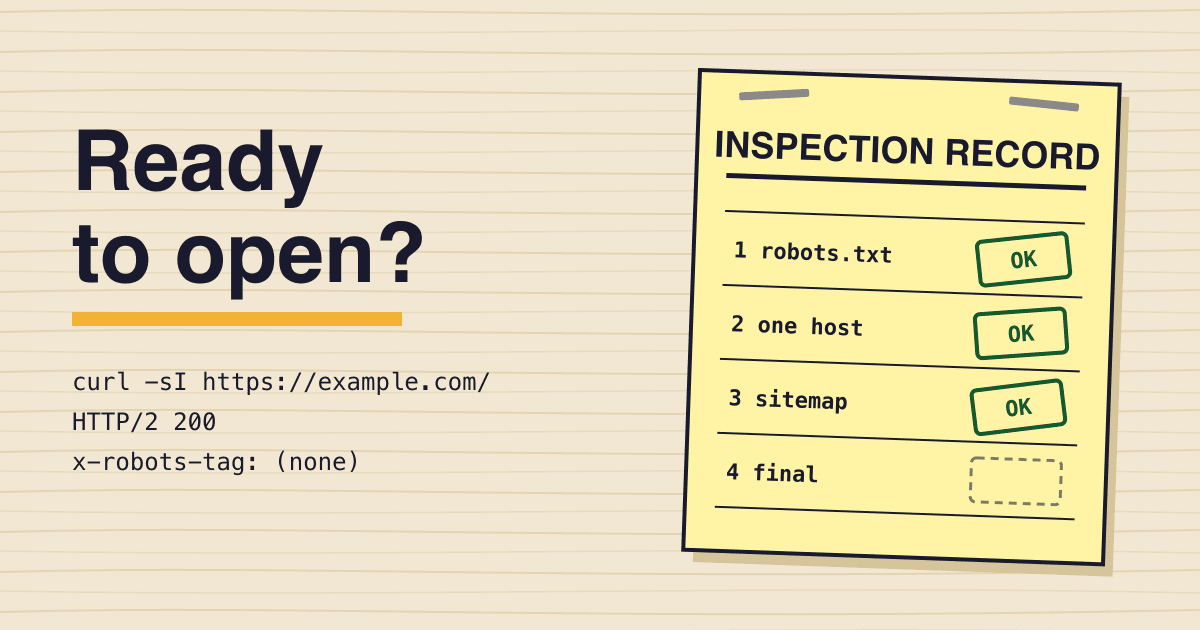
Treat the night before your landing page opens like a building inspection: nobody moves in until every stage on the card is signed, and where a terminal can prove a sign-off, the command sits under it so you can compare its output with the passing result printed beside it. The card covers the technical part of SEO that breaks quietly on day one: leftovers from staging, duplicate addresses, the sitemap and what the crawler can actually read. Each rule links to the Google or web.dev page it comes from. Swap example.com for your own domain in every command.
Stage 1, site clearance: staging leftovers
-
robots.txt on productionNo Disallow: /
The blanket
Disallow: /that kept staging quiet often ships with the first deploy. Google is plain that robots.txt is not a mechanism for keeping a page out of Google: a blocked URL can still be listed, just without a description, so on production the file can only hurt you.Expect a
200and noDisallow: /underUser-agent: *.curl -s -w ' %{http_code} ' https://example.com/robots.txt -
noindex leftoversNone on public pages
A
noindexrule can sit in a<meta name="robots">tag or in anX-Robots-Tagresponse header. When Googlebot finds either, Google drops the page from search results entirely. Check both places, because a framework setting and a hosting header are often set by different people.curl -sI https://example.com/ | grep -i x-robots-tag curl -s https://example.com/ | grep -io '<meta[^>]*robots[^>]*>' -
Staging hostPassword, not robots
To keep a page out of Google, the robots.txt guide names two tools:
noindexor a password. Anoindexonly works when the page is not blocked by robots.txt, since the crawler has to fetch the page to see it. Basic auth on staging is the simpler answer, and it keeps the copy you have not launched yet away from everyone else too.
Stage 2, street address: one URL per page
-
http and www variants301 or 308 to one host
Your page answers at up to four addresses: with and without
www, over http and https. Pick one. Google puts redirects first in its list of canonical signals, ahead of therel="canonical"link and the sitemap. Run the command for each variant you do not use; every one should come back as a permanent redirect (301or308) with alocationpointing at the address you chose.curl -sI http://example.com/ | grep -iE '^(http|location)' -
A page that does not exist404, or noindex on the error page
Single-page apps tend to answer every path with
200and a friendly "not found" screen. Google calls that a soft 404, and its JavaScript guide gives two fixes: a JavaScript redirect to a URL that returns a real 404, or a noindex tag on the error page.curl -s -o /dev/null -w '%{http_code}' https://example.com/no-such-pagecurl only sees the server's answer; if you used the JavaScript fix, confirm the noindex in the URL Inspection tool.
-
Canonical linkSelf, absolute, in the HTML
Google asks for a self-referential canonical on the canonical page itself, set in the HTML source rather than added later by JavaScript, and never a different URL in the sitemap than in the tag. Tracking parameters such as
?utm_source=from your launch posts then point back to the one clean address.curl -s https://example.com/ | grep -io '<link[^>]*canonical[^>]*>'
Stage 3, plans on file: the sitemap
-
sitemap.xmlAbsolute URLs, UTF-8
The sitemap guide asks for fully qualified, absolute URLs and a UTF-8 file, best placed at the site root so it covers the whole site. One file holds at most 50,000 URLs or 50MB uncompressed, which a landing page will not reach. List only the canonical URLs you want in results: no staging hosts, no redirects, no pages with
noindex.curl -s https://example.com/sitemap.xml | grep -o '<loc>' | wc -l -
Sitemap line in robots.txtPresent
One line anywhere in robots.txt tells crawlers that read it where the map is, and Google picks it up the next time it reads the file. It costs nothing and works before you have verified the site in Search Console.
Sitemap: https://example.com/sitemap.xmlcurl -s https://example.com/robots.txt | grep -i '^sitemap:' -
lastmod datesReal dates or none
Google uses lastmod only when it is consistently and verifiably accurate, and it names a changed copyright year as an update that does not count. A generator that stamps every URL with the build time is the kind of lastmod Google learns to ignore. Use the date the content last changed, or leave the field out.
Stage 4, final walk-through: what the crawler reads
-
Title elementsOne per page, all different
Starter templates ship one
<title>for every route. Google wants a title on every page, descriptive and concise, with no repeated boilerplate, and it calls out "Home" as a vague title by name. Pricing, docs and changelog each need their own. -
Scripts and stylesNot blocked
Googlebot reads robots.txt before it fetches anything, and Google Search will not render JavaScript from blocked files or on blocked pages. A rule that hides a build folder such as
/_next/or/assets/can leave the crawler with an empty shell where your hero copy should be. -
Core Web VitalsLCP 2.5 s, INP 200 ms, CLS 0.1
Those are the good thresholds on web.dev: the largest paint within 2.5 seconds, a reply to input within 200 milliseconds, and a layout shift score of 0.1 or less, each met at the 75th percentile of page loads, mobile and desktop counted apart. Before launch there are no real visits to measure, so run a lab test on a throttled phone profile (it reports LCP and CLS; Total Blocking Time stands in for INP until real visits arrive) and fix the hero image and the font swap first.
Certificate of occupancy
Sign the certificate only when all four areas pass. One failure keeps the doors shut: every listing and every post you publish sends its first visitors and crawlers to whatever is live at that minute.
CrawlFails if robots.txt blocks a public page or any build folder
IndexFails if a noindex tag or header remains on a public page
AddressesFails if a second host answers 200, or a missing page answers 200 without a noindex
MapFails if the sitemap lists a URL that redirects, 404s or names another canonical
After the doors open
Once the site is verified in Search Console, submit the sitemap there and run the URL Inspection tool on the home page. Google's noindex guide points to it as the way to see the HTML that Googlebot received, which is the only proof that what you checked with curl is what the crawler saw.
Sources
- Google Search Central: Introduction to robots.txt
- Google Search Central: Block Search indexing with noindex
- Google Search Central: How to specify a canonical URL
- Google Search Central: Build and submit a sitemap
- Google Search Central: Understand the JavaScript SEO basics
- Google Search Central: Influencing your title links
- web.dev: Web Vitals