The README you spent a week on is not part of a plain GitHub repository search: unless the searcher adds in:readme, GitHub compares the query with only three fields, the repository name, its description and its topics (GitHub Docs, Searching for repositories).
Short answer: write a one-line description that uses the words a stranger would type, add topics for what the project is, its language and the problem it solves (up to 20, lowercase, up to 50 characters each), and upload a social preview image of 1280 by 640 pixels. The description and topics take a minute in the About box or with gh repo edit; the image is uploaded under Settings, then Social preview.
Topics are the labels in the About box of a repository page. Each one links to a page that lists the public repositories with that label, and the topic: search qualifier finds them (GitHub Docs, Classifying your repository with topics).
How many repositories leave their topics empty?
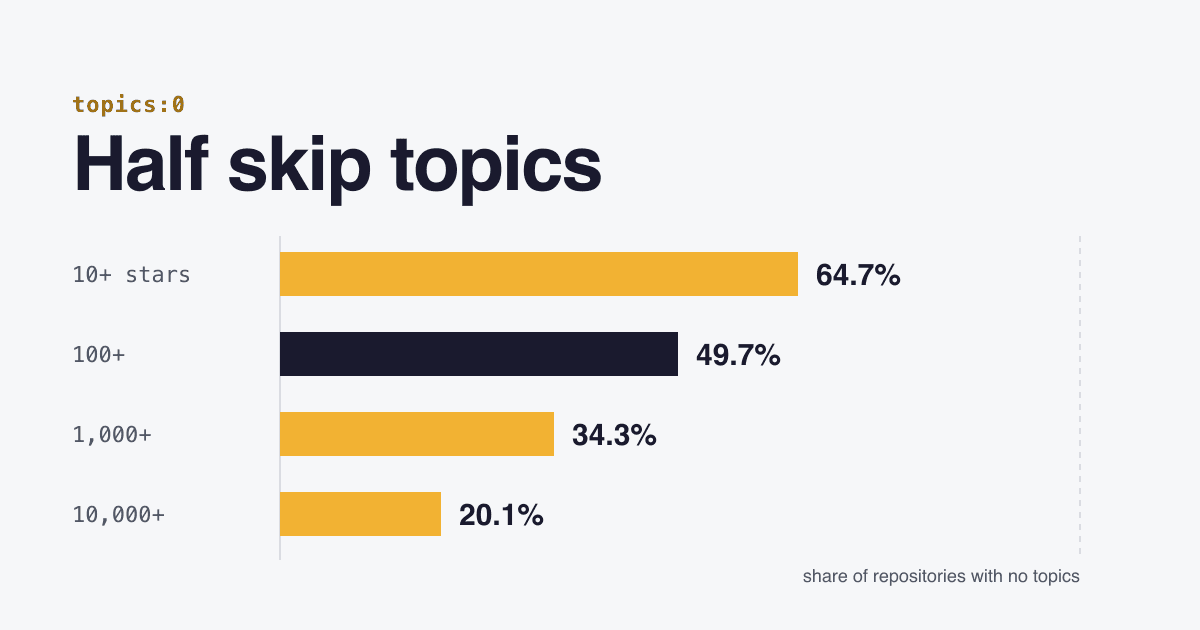
We counted public repositories with GitHub's own search API on 2026-10-25, using the topics:0 qualifier for "no topics". Among repositories with 100 or more stars, 49.7% have none. The share falls as projects grow: from 64.7% at 10 or more stars to 20.1% at 10,000 or more.
stars:>=100 topics:0; forks are left out, as in every repository search by default).| Repositories with | All | No topics | Share |
|---|---|---|---|
| 10+ stars | 2,918,452 | 1,888,117 | 64.7% |
| 100+ stars | 486,099 | 241,507 | 49.7% |
| 1,000+ stars | 65,903 | 22,591 | 34.3% |
| 10,000+ stars | 5,687 | 1,143 | 20.1% |
Among the 486,099 repositories with 100 or more stars, here is how many topics they carry:
- No topics: 49.7% (241,507)
- 1 to 4: 17.8% (86,451)
- 5 to 9: 21.3% (103,447)
- 10 to 19: 9.7% (47,102)
- All 20: 1.6% (7,592)
topics:0, topics:1..4, topics:5..9, topics:10..19 and topics:20 searches on 2026-10-25. Shares are rounded, so they add up to 100.1%.These counts show that bigger projects fill in topics more often. They do not show that topics brought the stars: a team that maintains a project well tends to fill in every field.
Which fields does GitHub's repository search read?
Say someone types retry backoff into GitHub search and picks Repositories. GitHub looks for those words in three places. The README counts only when the searcher adds in:readme to the query (GitHub Docs, Searching for repositories).
- Name
- example-org/patient-fetch
- Description
- Fetch with retry and exponential backoff for TypeScript. Waits for Retry-After on 429 and 503.
- Topics
- typescript retry backoff fetch http-client
- README
- Install, quick start, options, a retry and backoff example... Searched only with in:readme.
in:readme.Which search qualifiers show what GitHub matched?
Add repo:OWNER/NAME to any query and the result count tells you whether that one repository matches. We ran this on the jQuery repository on 2026-10-25: its README contains the word "DOM", its description ("jQuery JavaScript Library") and its one topic (jquery) do not.
dom repo:jquery/jquery0 results
dom in:readme repo:jquery/jquery1 result
Run the same test with the words your users type and your own repository. Zero results means the three default fields do not contain all of those words. The other qualifiers, from GitHub's documentation (repositories, topics):
in:name- Only the repository name
in:description- Only the description; combine as
in:name,description in:topics- Only the topics
in:readme- The README, the only way repository search reads it
topic:retry- Repositories labelled with exactly that topic
topics:0,topics:>3- Repositories by how many topics they have
is:featured- In a topic search: the topics with the most repositories
repositories:>1000- In a topic search: topics used by more than 1,000 repositories
Searchers can also sort results by stars, forks or when they were last updated (GitHub Docs, Sorting search results).
What does each part of the About box do?
The About box on the right of a repository page holds the description, the website link and the topics. Two more things decide how the project looks once someone finds it: the social preview image and the README.
| Part | Searched by default | What it does |
|---|---|---|
| Description | Yes | One sentence in the About box, and under the name in search results: "a short description of the repository" in GitHub's API. Put the words people type in it. |
| Topics | Yes | Labels for purpose, subject area, community or language. Each topic page lists your project next to others with the same label. For public repositories GitHub suggests topics, which you accept or reject. |
| Website | No | A link to your docs or landing page: the next click after a match. |
| Social preview | No | The image a chat app or social site shows for your repository link. Without one, the card shows basic repository details and the owner's avatar. |
| README | Only with in:readme | What a visitor reads after the click. GitHub shows the first README it finds in .github, then the root folder, then docs. |
Sources: GitHub Docs, topics, GitHub Docs, social media preview, GitHub Docs, About the repository README file, GitHub REST API, repositories.
What are GitHub's limits for topics and the preview image?
| Field | Rule | Source |
|---|---|---|
| Topic characters | Lowercase letters, numbers and hyphens. The API saves topic names in lowercase. | Topics, REST |
| Topic length | 50 characters or less | Topics |
| Topics per repository | No more than 20 | Topics |
| Private repositories | Can have topics, but topic names are always public, and private content gets no topic suggestions | Topics |
| Preview file | PNG, JPG or GIF, under 1 MB. Transparent PNG is supported; check how it looks on dark and light backgrounds and in apps without transparency. | Social preview |
| Preview size | Recommended: at least 640 by 320 pixels; 1280 by 640 for best display | Social preview |
| Preview sharing | The image is shared only from a public repository | Social preview |
best display
recommended minimum
How do you write a description that matches real searches?
Name the thing, the problem and the stack in one sentence, in the words a stranger uses. Your own product name helps only people who already know it. The example below is invented.
Before
"My little helper for flaky APIs"
Topics: none
A search for retry backoff matches no field: no word of the query is in the name, the description or the topics.
After
"Fetch with retry and exponential backoff for TypeScript. Waits for Retry-After on 429 and 503."
Topics: typescript, retry, backoff, fetch, http-client
The same search now matches both the description and two topics, and the sentence tells the reader what they get before they click.
If the project handles 429 responses, our guide to rate limit headers and Retry-After covers what the server sends.
Which topics should a repository have?
GitHub suggests topics for the project's intended purpose, subject area, community or language (GitHub Docs). A short list that a searcher would type works better than 20 loosely related labels. That is our view: GitHub publishes no ideal number.
| Add a topic for | Examples | Why |
|---|---|---|
| What it is | cli, library, vscode-extension | The kind of project people search for |
| Language and runtime | typescript, rust, nodejs, deno | Decides whether a visitor can use it at all |
| The problem it solves | retry, rate-limiting, pdf-generation | The word in the query, not your feature name |
Three checks before you save. Use a spelling that exists: when you type in the Topics field, GitHub lists matching topics, and a topic page lists only repositories with that exact label. Check how crowded it is: a topic search with repositories:>1000 or is:featured shows how many repositories share a label (GitHub Docs, Searching topics); a huge topic is a crowded list, a tiny one may have no visitors, so a mix is reasonable. Review the suggestions: accept GitHub's suggested topics only when they describe the project.
Featured topics, the most used ones listed at github.com/topics, can be improved by the community in the github/explore repository, which holds the curated text and logos for topic pages.
How do you set topics and the description from the command line?
The GitHub CLI sets the description, website and topics in one command (GitHub CLI manual, gh repo edit). Run it in the repository folder:
gh repo edit \
  --description "Fetch with retry and exponential backoff for TypeScript" \
  --homepage "https://example.com/docs" \
  --add-topic typescript,retry,backoff,fetch,http-client
The REST API replaces the full set of topics in one call. Send every topic you want to keep: the list you send replaces the old one, and an empty list clears all topics (GitHub REST API, Replace all repository topics).
gh api -X PUT repos/OWNER/REPO/topics \
  -f "names[]=typescript" -f "names[]=retry" -f "names[]=backoff"
Publishing to npm too? The description and keywords fields of package.json do the same job there: npm says both help people discover the package in npm search (npm Docs, package.json). Reuse the same words.
{
  "description": "Fetch with retry and exponential backoff for TypeScript",
  "keywords": ["typescript", "retry", "backoff", "fetch", "http-client"]
}
The social preview image has no CLI flag in gh repo edit; upload it under Settings, then Social preview, then Edit (GitHub Docs).
Questions about repository topics and search
Does GitHub search read my README?
Only when the searcher adds in:readme. Without an in: qualifier, GitHub searches the repository name, description and topics only (GitHub Docs).
How many topics can a GitHub repository have?
No more than 20, each 50 characters or less, in lowercase letters, numbers and hyphens (GitHub Docs).
Are topics on a private repository private?
No. A private repository can have topics, but topic names are always public, even when the topic is created from a private repository (GitHub Docs).
What size should a GitHub social preview image be?
GitHub recommends 1280 by 640 pixels for best display and at least 640 by 320, as a PNG, JPG or GIF under 1 MB (GitHub Docs).
Do more stars come from adding topics?
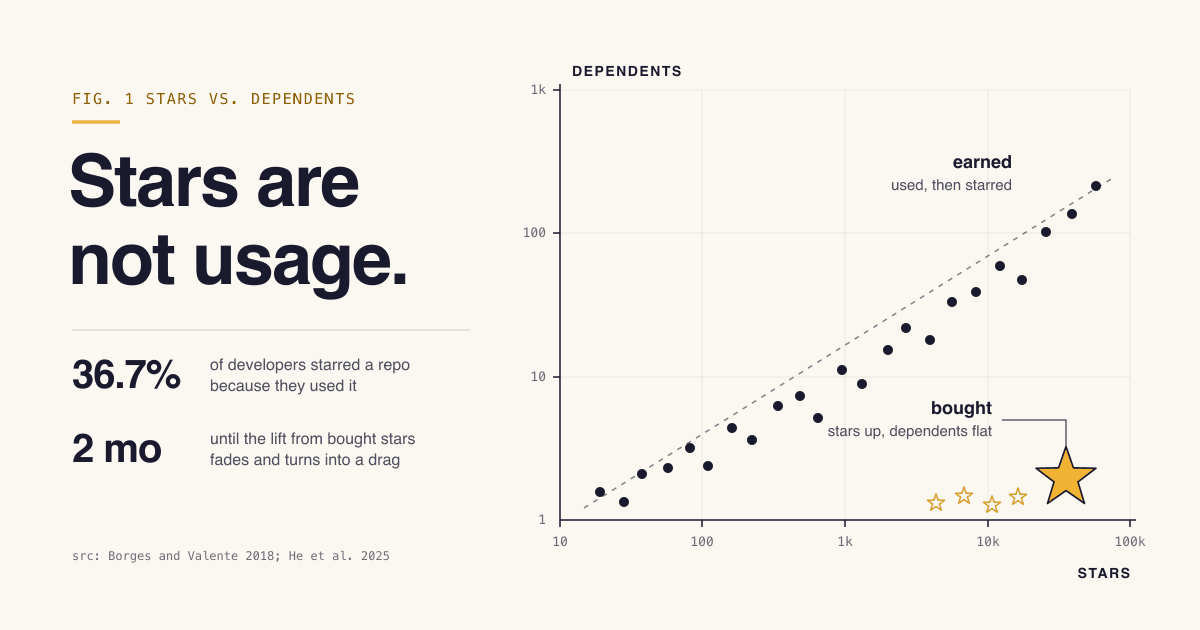
We found no evidence for that. In our count, repositories with more stars leave topics empty less often, but that shows a link, not a cause. Topics make a project findable; the README decides whether a visitor stays. Our post on whether GitHub stars are worth chasing looks at what stars measure.
Sources
- GitHub Docs: Searching for repositories (default fields,
in:,topic:andtopics:qualifiers) - GitHub Docs: Classifying your repository with topics (topic rules, suggestions, private repositories)
- GitHub Docs: Searching topics (
is:featured,is:curated,repositories:n) - GitHub Docs: Customizing your repository's social media preview (formats, sizes, transparency)
- GitHub Docs: About the repository README file (README locations)
- GitHub Docs: Sorting search results
- GitHub REST API: Replace all repository topics
- GitHub REST API: Search repositories (counts in this post, run 2026-10-25)
- GitHub CLI manual: gh repo edit
- github/explore repository (curated topics)
- npm Docs: package.json (
description,keywords)
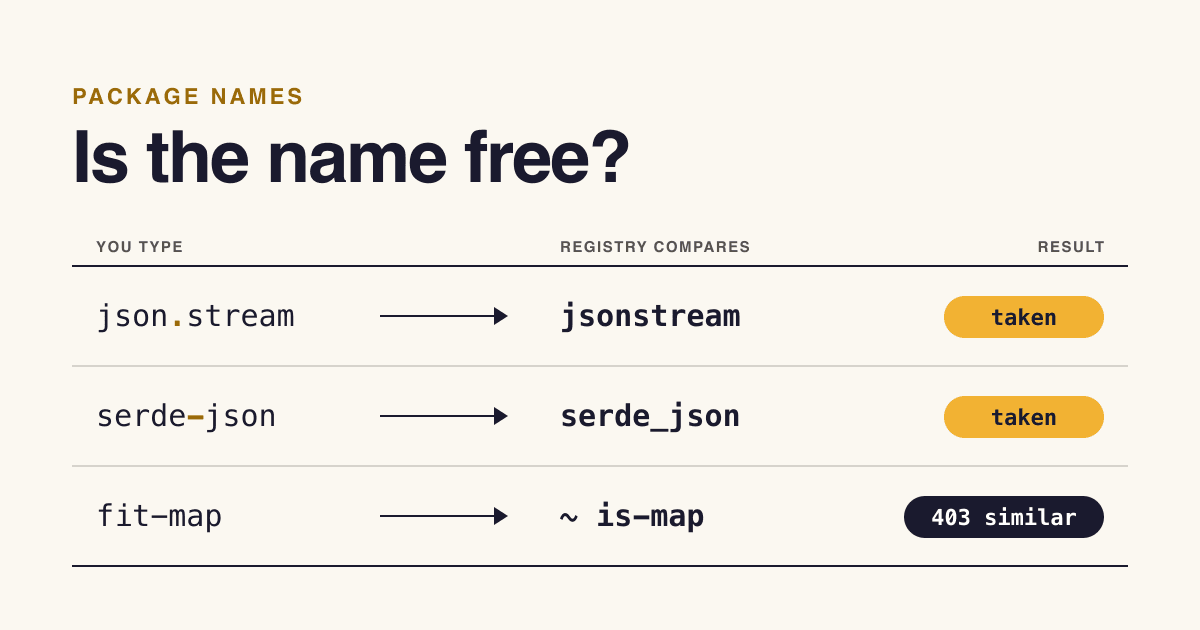
More on getting a tool found: how developers discover and adopt new tools and how registries decide who gets a package name.