An exit code is a single number from 0 to 255 that a finished process hands back to whatever started it: 0 means it worked, anything else means it did not. In a shell the number of the last command sits in $?. The rest of this page takes the codes you will meet most, lowest floor first, with the rule behind each one and a command that reproduces it. Every command was run in Bash 3.2 on macOS on 11 November 2026, and every rule links to the document it comes from. Other shells word their error lines differently; the numbers are the same.
The floor guide: what each exit code means
Exit code 0: success
The Bash manual puts it in one line: a command that exits with a zero status has succeeded, and a non-zero status means failure. It also says why the scheme looks upside down: there is one way to say success and many ways to say what went wrong.
true; echo $?
0Exit code 1: it failed, and that is all you know
No standard gives 1 a meaning beyond "not zero". Most programs use it as the catch-all failure. Some give it a narrower meaning of their own: GNU grep exits 1 when no line was selected, which is an answer, not a fault. Read the tool's manual before treating 1 as an error.
echo hello | grep -q goodbye; echo $?
1Exit code 2: often a usage error
The Bash manual says all Bash builtins return 2 "to indicate incorrect usage, generally invalid options or missing arguments". Many other tools copy the habit, but it is a habit, not a rule. grep uses 2 for a real error such as an unreadable file.
grep hello /no/such/file; echo $?
grep: /no/such/file: No such file or directory
2Exit code 126: found, but cannot be run
This one is standard. POSIX, section 2.8.2, says that when the command name is found but is not an executable utility, the exit status shall be 126. The usual cause is a script without the execute bit, so the fix is usually chmod +x.
sh -c /etc/hosts; echo $?
sh: /etc/hosts: Permission denied
126Exit code 127: command not found
Also from POSIX: "If the command is not found, the exit status shall be 127." In CI it almost always means a tool is not installed in the image, or is not on PATH for that step. The program you meant to run never started.
sh -c no-such-command; echo $?
sh: no-such-command: command not found
127Exit codes above 128: killed by a signal
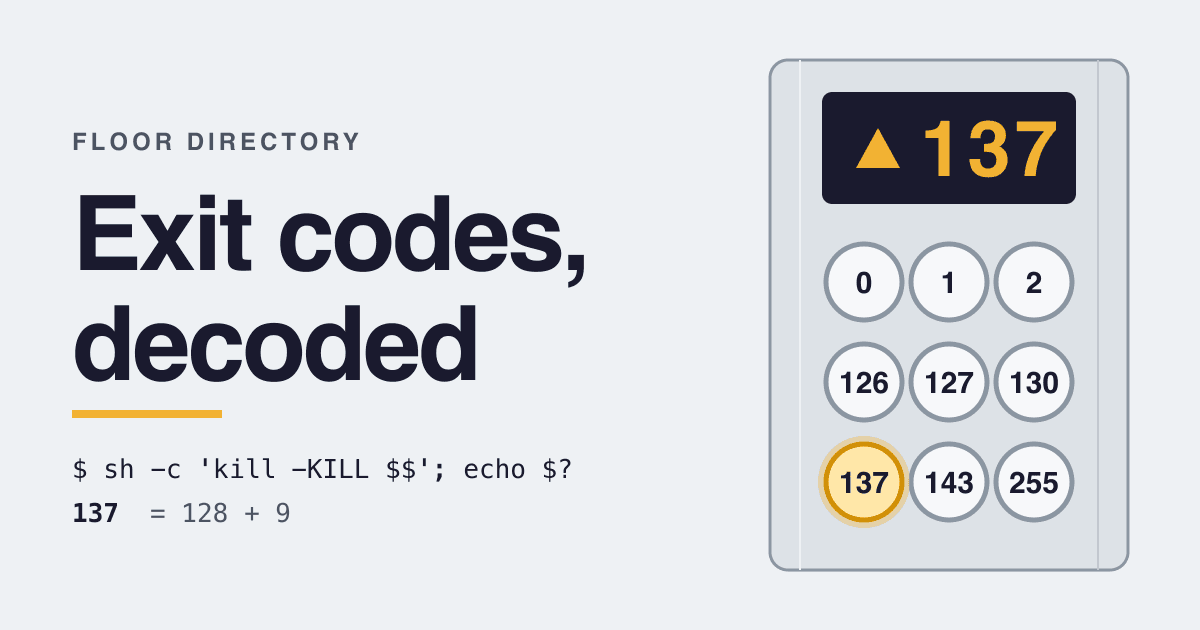
A process killed by a signal never chose a code. The shell makes one up. POSIX only requires it to be greater than 128. Bash is exact: for a fatal signal number N it reports 128+N. So 130 is signal 2, the Ctrl-C interrupt, and 137 is signal 9, SIGKILL.
sh -c 'kill -INT $$'; echo $?
130
sh -c 'kill -KILL $$'; echo $?
137
Your shell may print a line such as "Killed: 9" before the number.
Exit code 255: the top floor, and what happens above it
A shell sees one byte of the status. POSIX says only the least significant 8 bits of the value (status & 0377) are available through wait() and waitpid(), the calls a shell uses to collect it. So a program that exits with -1 shows up as 255, and one that exits with 256 shows up as 0, which every caller reads as success.
bash -c 'exit -1'; echo $?
255
bash -c 'exit 256'; echo $?
0
bash -c 'exit 300'; echo $?
44
255 is also what ssh returns when ssh itself failed, as opposed to the remote command.
Signal exit codes: 128 plus the signal number
These are the sums you are most likely to see. The signal numbers come from the Linux signal(7) page, where these eight have the same number on every architecture it lists.
| Exit code | Sum | Signal | What signal(7) calls it |
|---|---|---|---|
| 129 | 128 + 1 | SIGHUP | Hangup detected on controlling terminal or death of controlling process |
| 130 | 128 + 2 | SIGINT | Interrupt from keyboard |
| 131 | 128 + 3 | SIGQUIT | Quit from keyboard |
| 134 | 128 + 6 | SIGABRT | Abort signal from abort(3) |
| 137 | 128 + 9 | SIGKILL | Kill signal |
| 139 | 128 + 11 | SIGSEGV | Invalid memory reference |
| 141 | 128 + 13 | SIGPIPE | Broken pipe: write to pipe with no readers |
| 143 | 128 + 15 | SIGTERM | Termination signal |
You do not have to do the subtraction. Bash's kill builtin accepts an exit status after -l and prints the signal behind it:
kill -l 137
KILL
Why does exit code 137 show up in Docker and Kubernetes?
Unless a program picked the number itself, 137 says one thing: the process received SIGKILL. It does not say who sent it. Three senders are common, and each needs a different fix.
- The memory limit. The Kubernetes memory task page runs a container past its limit and prints the result:
reason: OOMKillednext toexitCode: 137. If the reason says OOMKilled, raise the limit or use less memory. - A stop that ran out of patience. docker stop sends SIGTERM by default and, after a grace period, SIGKILL. A process that ignores SIGTERM ends on the second signal, and 128 + 9 is 137. Handle SIGTERM and shut down in time.
- A timeout with a kill step. GNU timeout sends TERM first and exits 124. Run with
-kor-s KILLit sends KILL, and returns 137. Its manual adds that 137 is also what you get when timeout itself is killed, and that the two cases cannot be told apart.
Docker adds three codes of its own. According to the docker run reference, 125 means the error is with the Docker daemon itself, 126 means the contained command cannot be invoked, 127 means it cannot be found, and any other code is the exit code of the command inside the container.
Same number, different meaning
Outside the POSIX rules, a code means whatever its program says it means. These five are worth knowing because wrappers and CI systems act on them.
| Tool | Code | What it means there |
|---|---|---|
| grep | 1 | No line was selected. An error is 2. |
| timeout | 124 | The command timed out, unless --preserve-status was given. |
| git bisect run | 125 | This commit cannot be tested: skip it. Codes 1 to 127 except 125 mean bad, and anything else aborts the bisect. |
| docker run | 125 | The Docker daemon failed, not your command. |
| GitHub Actions | any non-zero | The action's check run is marked failure. Only 0 is success. |
Why did my pipeline pass when a command failed?
Because a pipeline has one exit status, and by default it is the last command's. The Bash manual on pipelines says so, and names the switch that changes it: with pipefail on, the pipeline returns the status of the last command that exited non-zero.
bash -c 'false | true; echo $?'
0
bash -c 'set -o pipefail; false | true; echo $?'
1
A CI step such as run-tests | tee log.txt therefore reports the status of tee. Turn pipefail on at the top of the script, or check the test command on its own.
Which exit code should your own CLI return?
The documents above leave most of the range open. This is the advice they add up to, with the reason for each line.
- 0
- Only when the job was done. CI systems read nothing else as success.
- 1
- The general failure. Enough for most tools.
- 2
- Wrong flags or missing arguments, if you want to match the Bash builtins.
- 3 to 123
- Your own named failures, if scripts need to tell them apart. List them in
--helpor the manual, as grep does. - 124, 125
- Leave free. timeout, git bisect run and docker run give them meanings, and your tool will run under those wrappers.
- 126 and up
- Leave to the shell. Bash says it "may use values above 125 specially", a caller will read 137 from your tool as a kill, and ssh keeps 255 for its own failures.
- Over 255
- Never. The value wraps, and 256 arrives as 0.
You may see the BSD list in sysexits.h recommended: 64 for a usage error, up to 78 for a configuration error. The codes are real, but the FreeBSD sysexits(3) page now says the interface "has been deprecated and is retained only for compatibility" and that its use is discouraged. Do not build a new tool around it.
Questions
How do I see the exit code of the last command?
Run echo $? straight after it. The Bash manual calls $? the special parameter that holds the exit status of the last command. Any command in between, even another echo, replaces it.
Is exit code 1 always an error?
No. It is a failure in the shell's sense, so if and && treat it as false, but tools such as grep use 1 for an ordinary "nothing matched". In a script that stops on any failure, that ends the script.
Can a shell report an exit status above 255?
For a signal, POSIX allows it: shells "are permitted to assign an exit status greater than 255 if a command terminates due to a signal". Bash does not. It keeps every status between 0 and 255.
Does exit code 137 always mean out of memory?
No. It means SIGKILL. Out of memory is one common sender. A stop after the grace period and a timeout set to send KILL are two more. Look for the stated reason, such as OOMKilled, before changing a memory limit.
Sources
- The Open Group: POSIX.1-2024, Shell Command Language, 2.8.2 Exit Status for Commands
- The Open Group: POSIX.1-2024, exit()
- GNU Bash manual: Exit Status, Pipelines, Job Control Builtins
- Linux man-pages: signal(7)
- GNU grep manual: Exit Status
- GNU coreutils manual: timeout
- Git documentation: git-bisect
- Docker Docs: Running containers, Exit status and docker container stop
- Kubernetes documentation: Assign Memory Resources to Containers and Pods
- OpenBSD manual: ssh(1), Exit status
- GitHub Docs: Setting exit codes for actions
- FreeBSD manual: sysexits(3)